
Rob Run Cheat Setup: EAC, Cloud DMA and Launch Order
Rob Run runs Easy Anti-Cheat and the build needs a Hyper-V layer. Get the firmware checks right first, then follow the install and launch order.
Rob Run is in Early Access and already has a hotfix cadence, so setup needs to be right the first time. Failed installs usually trace to virtualization off, Hyper-V missing, a security setting switched off, or the launch order backwards. If it still fails after this list, use the hotfix order. What Cloud DMA actually installs is on that product page.
Windows, firmware and the four security settings
- Windows 10 or 11, 64-bit. Hyper-V is a proper feature on Pro, Enterprise and Education. Home needs the installer notes for that edition.
- Intel VT-x or AMD-V enabled in firmware. Task Manager, Performance, CPU should read virtualization enabled.
- HVCI on, shown as Memory Integrity under Core Isolation. Core Isolation on. TPM visible to Windows. Secure Boot on.
- 8 GB minimum, 16 GB realistic. Close the browser before provisioning.
- Discord, GeForce, Steam and capture overlays off for the first launch.
If Memory Integrity will not stay on, a driver is blocking it. Update or remove that driver rather than leaving the setting off.
Install and launch order
Cloud DMA first, as administrator. Then the supporting pieces. Then Rob Run from Steam. GREENWARD, Static Server and AWS are separate required purchases, and Static Server and AWS are different products. None of that is bundled in the Cloud DMA checkout. Let provisioning finish. Reboot cleanly.
- Boot and let the machine settle.
- Confirm the Cloud DMA layer is up.
- Launch Rob Run from Steam and get into Rob Run.
- Start the loader and wait for the menu.
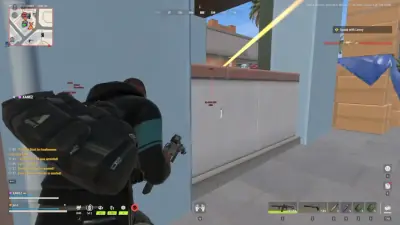
Loader before the game process is the top cause of an empty menu. The menu key is INSERT. A live session shows player ESP on someone in the city, role tags, a distance slider that accepts a value, battle mode stripping world labels, and a panic key hiding the menu. Menu up with nothing drawing is a partial load.
When to stop
Do not launch from the installer, leave an old loader in the tray, turn Memory Integrity off to "fix" something, install with the game open, or skip firmware. If a hotfix landed in the last hour, the loader may be behind. If virtualization is on, the four settings pass, overlays are off and the menu will not appear, open a ticket with the Windows build, the four states, the loader version and the installer output.